
Important Notice
Before making any changes in the licensing portal, please read and understand the following:
You and your company are fully liable for ALL changes made in this portal.
About This Portal
This portal is used for purchasing and managing Microsoft licenses, SaaS subscriptions, and other software licenses through our third-party license vendor.
Key Points to Know
- Billing responsibility – Any charges incurred through the portal will be invoiced to you. This includes new licenses, upgrades, additional seats, and subscription changes.
- Third-party vendor – This portal is managed by a third-party licensing vendor. We do not control their policies or pricing.
- Refund policy – Vendors may or may not offer refunds, and their refund policies may or may not be listed in the portal. Assume all purchases are final unless otherwise stated.
- Review before confirming – Double-check all selections before submitting any changes, as reversals may not be possible.
Questions?
If you're unsure about a change, contact Layer 2 Computers first.
How to set up your portal
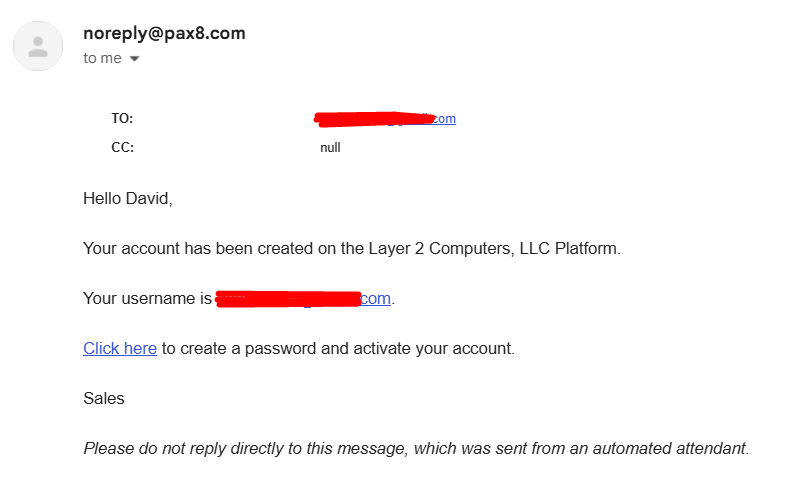
- Once your account has been created by Layer 2 Computer you will get an email inviting you to the port. Click on the "Click here" link.
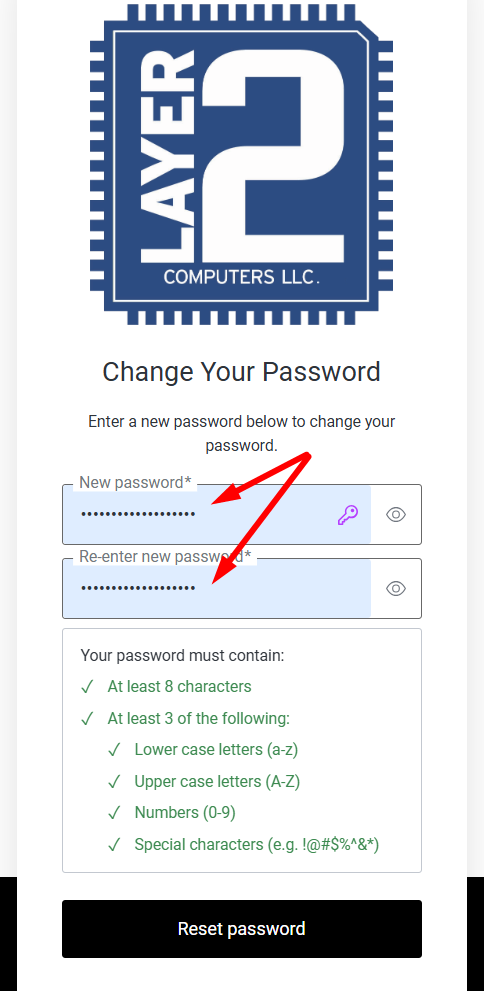
- You will then need to create a password for your account and click "Reset password"
- Click on the button "Back to app".

- This is the page that will allow you to login to the portal to purchase licenses. Make sure to bookmark that page.
- Login with your email and password.
- You may be prompted to set up an MFA device. You can use Microsoft Authenticator or the MFA app of your choice to do this.
- You will need to save the recovery key.
Once logged in you can view/edit your current subscriptions.
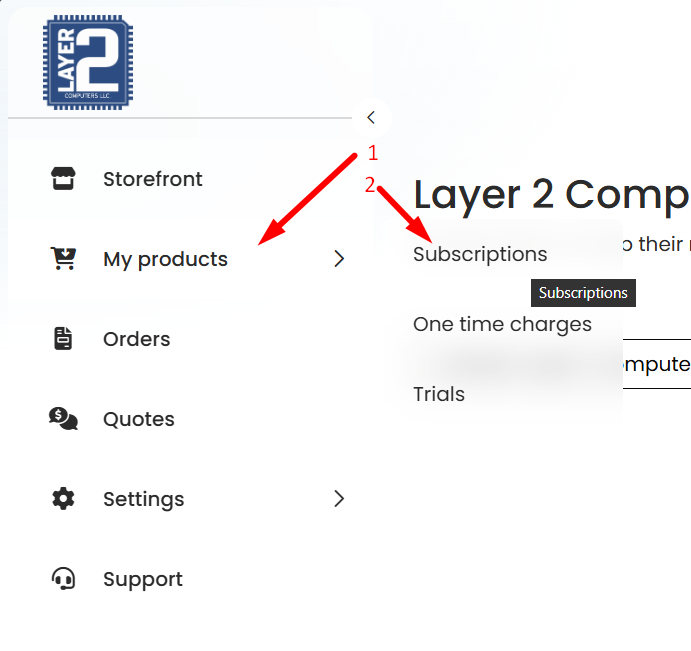
- Click on Products > Subscriptions
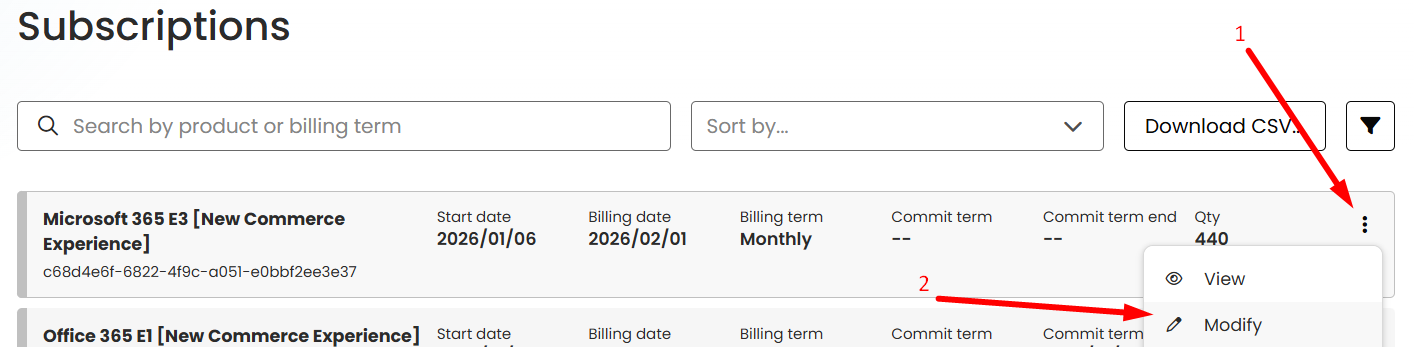
- To add or remove licenses from a current subscription, click on the edit icon at the right of the subscription and click "Edit"
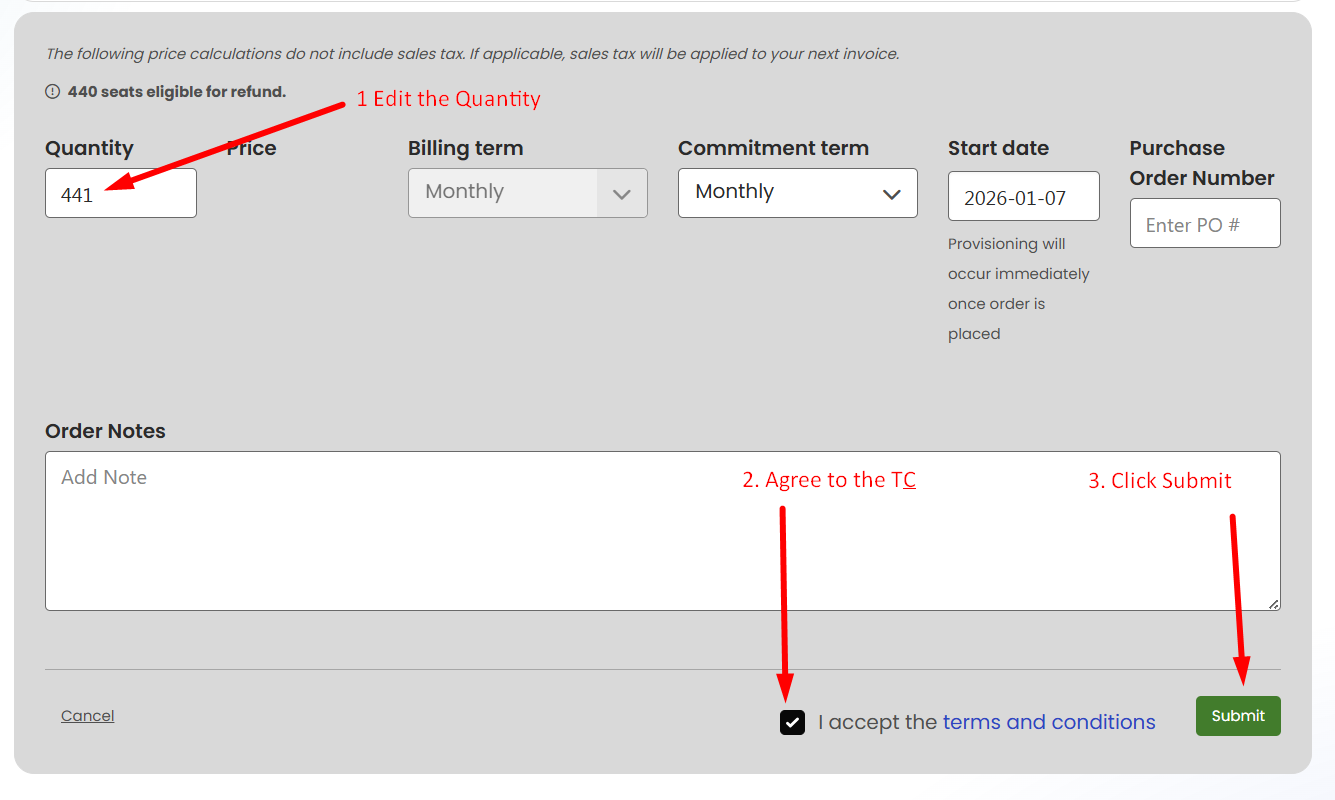
- Change the Quantity to what you need, accept the T&C, and click submit.
- If your company is setup to require approval - Once you submit the order it will send to us for final approval. Approval is an urgent ticket on our end and should be taken care of within 0-15 minutes during normal business hours of Monday - Friday 9:00am-5:00pm EST.


